New Tag
1 min
To create a new tag, follow the steps below;
- Click the Run with Tag button on the plan list screen.
- Click the New Tag button on the Tag List screen.
- Name the tag.
- Select a project.
- Move the plans that will run with the tag of the selected project from Source list to Target list.
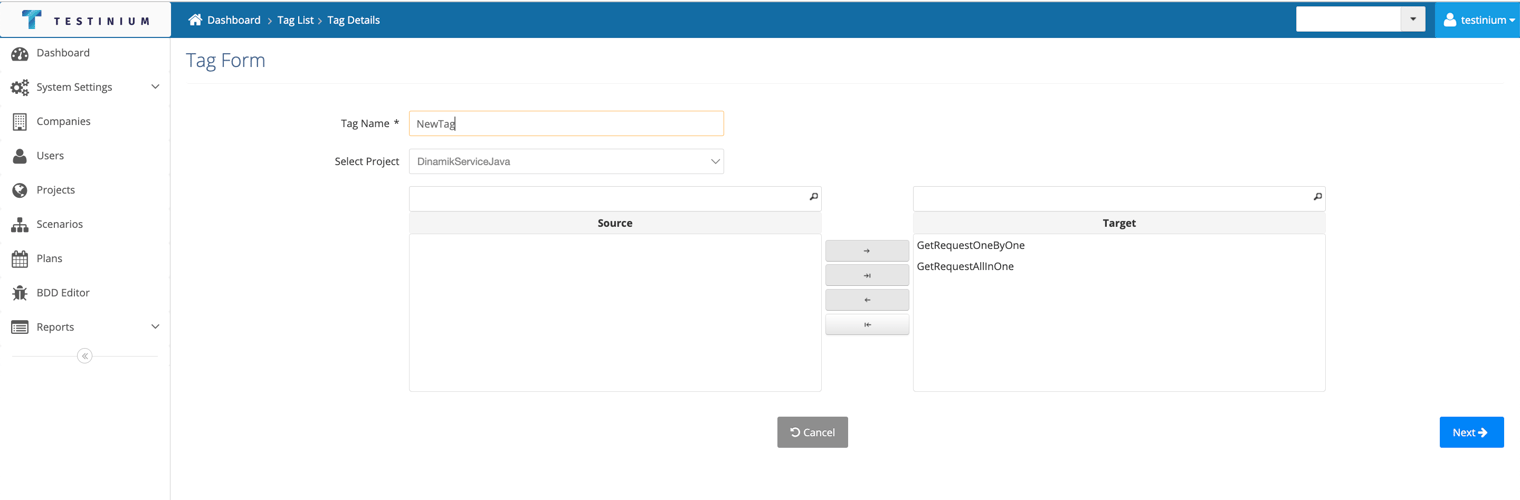
- Click the Next button if Scheduling is to be done after the desired plans have been moved to the Target field.
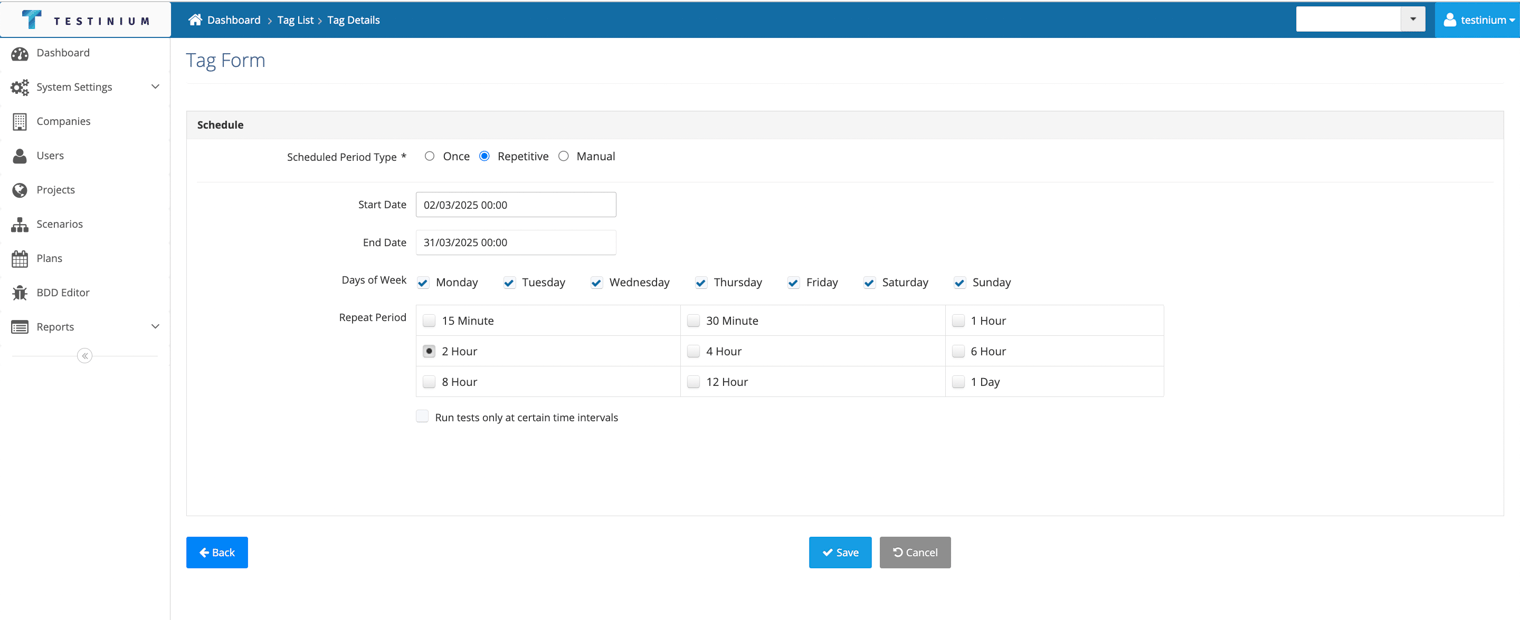
- Enter the required fields in the Schedule screen that opens.