Edit Cloud Environment Group
1 min
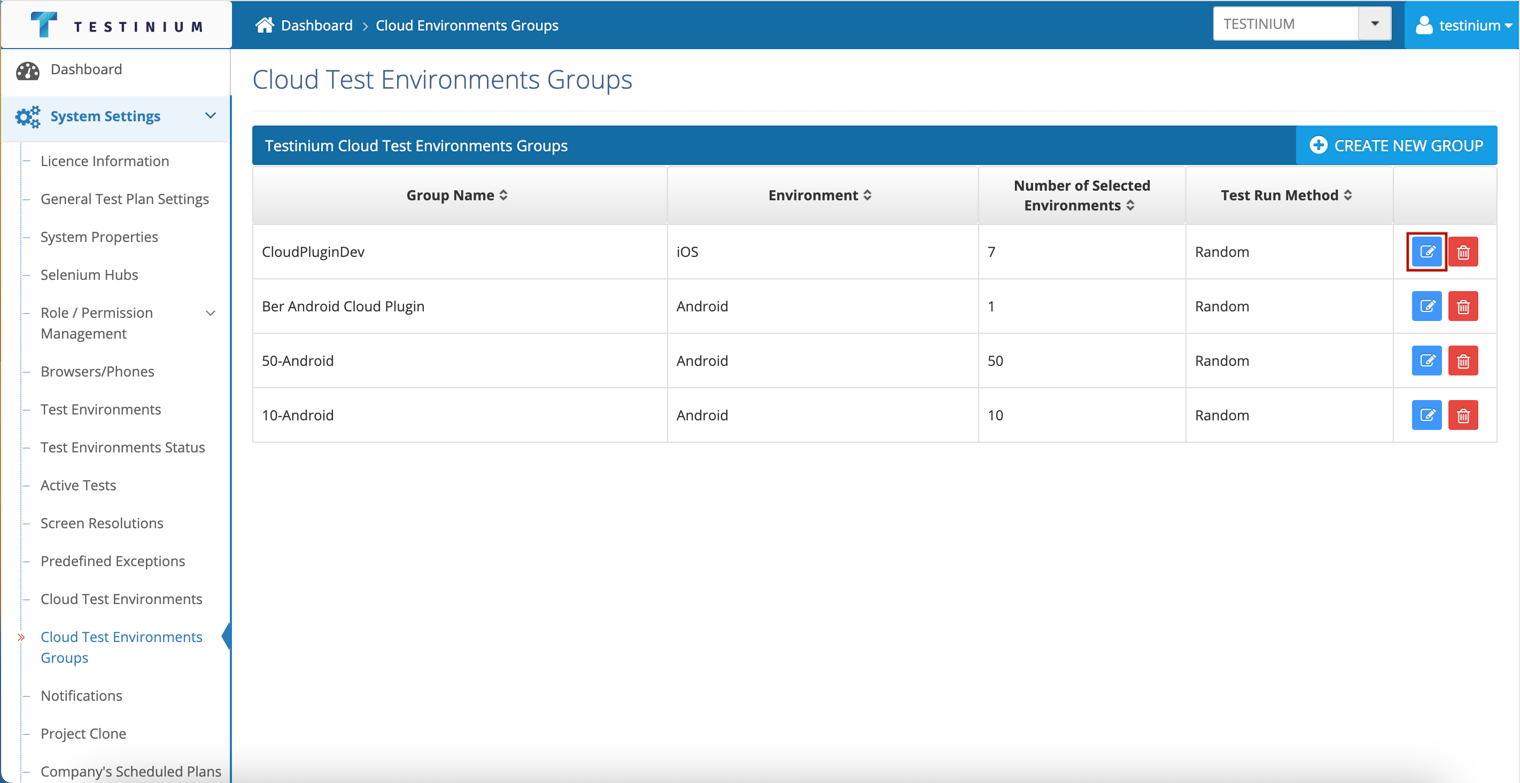
The following steps are followed on the Cloud Test Environment Groups page to edit the environment;
- Click the Edit button.
- Edit the following fields on the Cloud Test Environment List page;
- Group Name
- Operating System
- Environment Selection
- Test Run Method
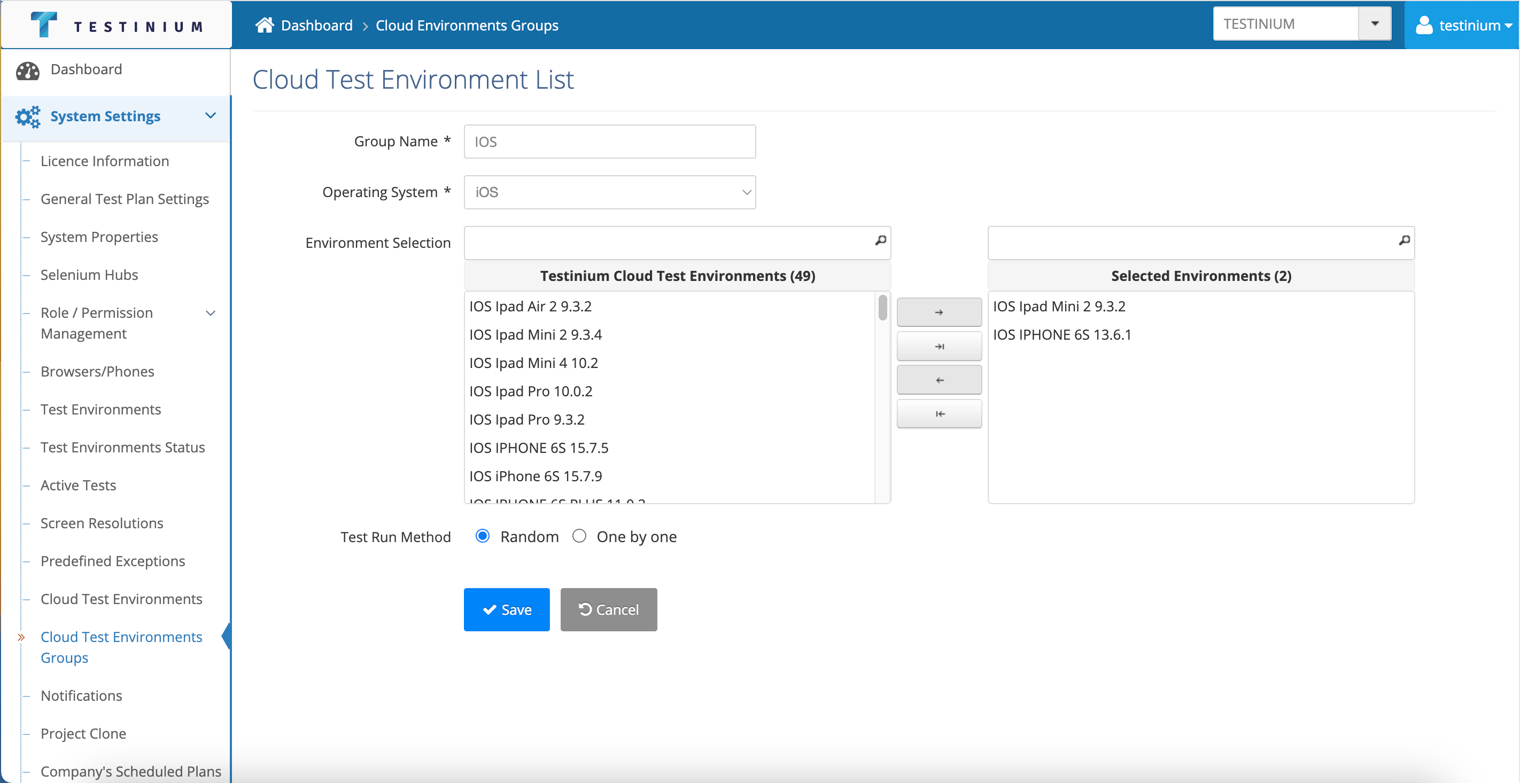
- a. Click the Save button to save update.
b. Click the Cancel button to cancel the editing operation.