Delete Predefined Exception
1 min
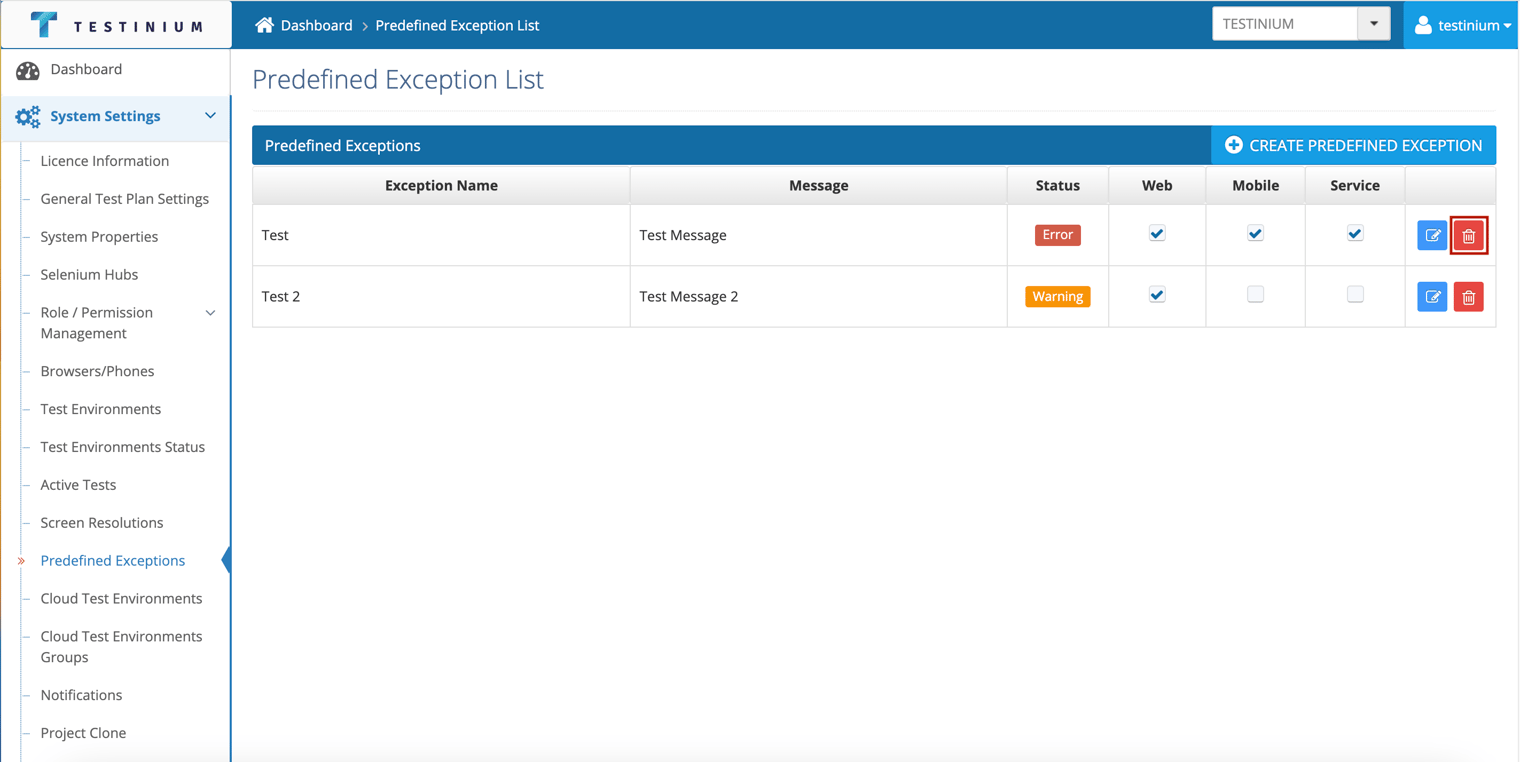
The following steps are followed on the Predefined Exception List page to delete an exception;
- Click the Delete button.
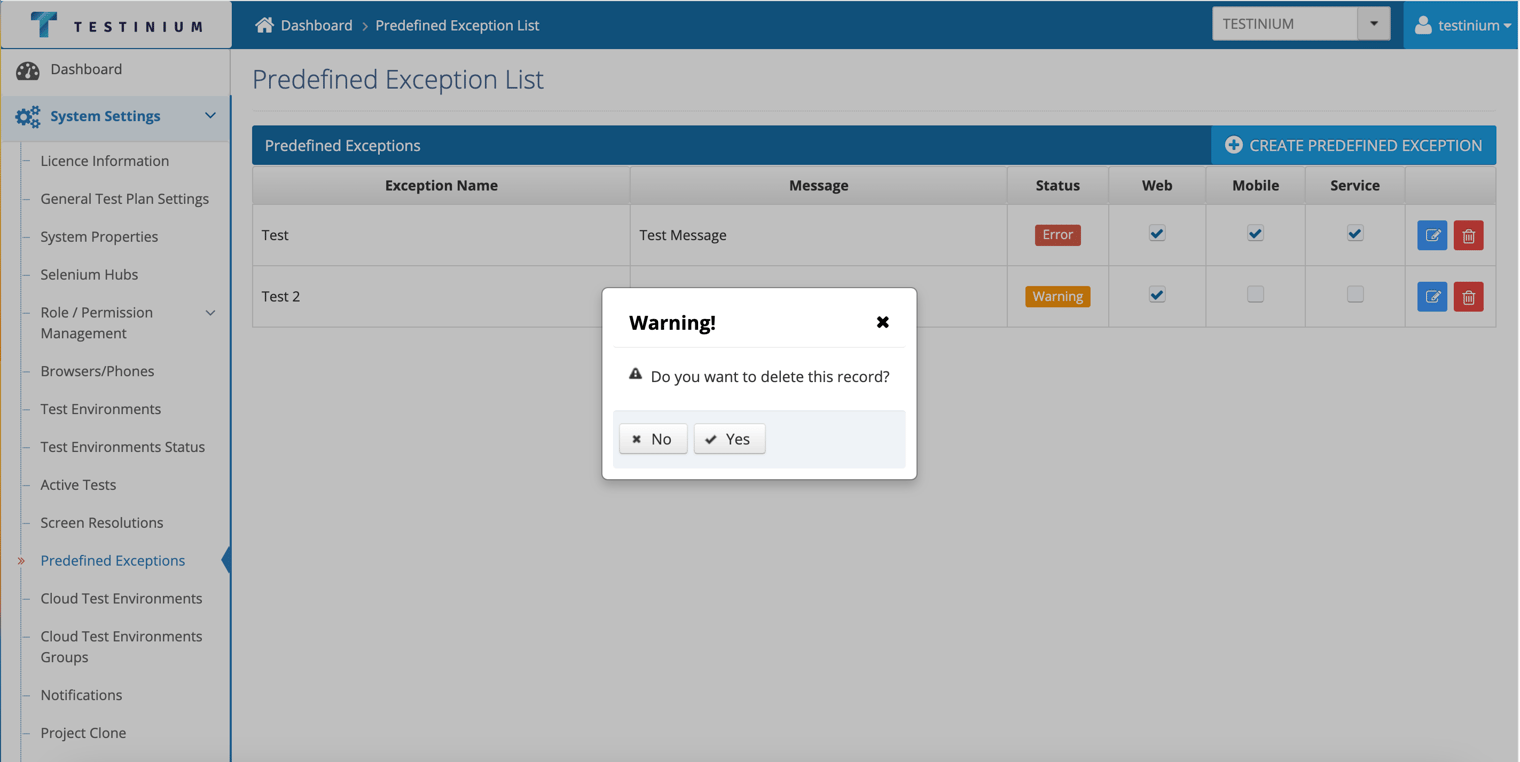
- In the warning pop-up;
a. Click Yes to delete.
b. Click No to cancel the deletion.
The following steps are followed on the Predefined Exception List page to delete an exception;
a. Click Yes to delete.
b. Click No to cancel the deletion.