Create New Role
1 min
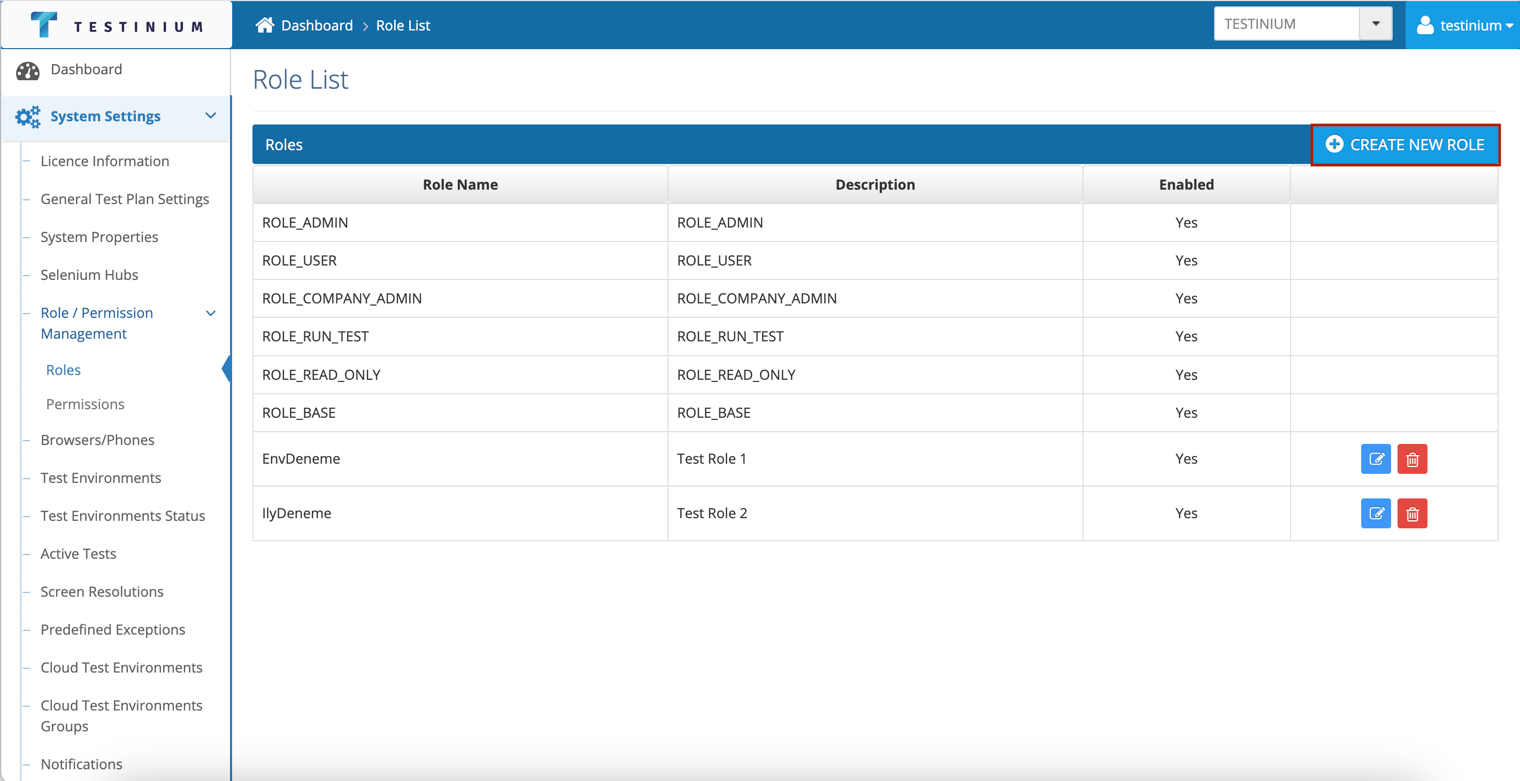
A new role definition in the system is made by following the steps below;
- Click the Create New Role button.
- Enter the following fields in the Role Management page.
- Role Name
- Description
- Enable
- Role Permissions
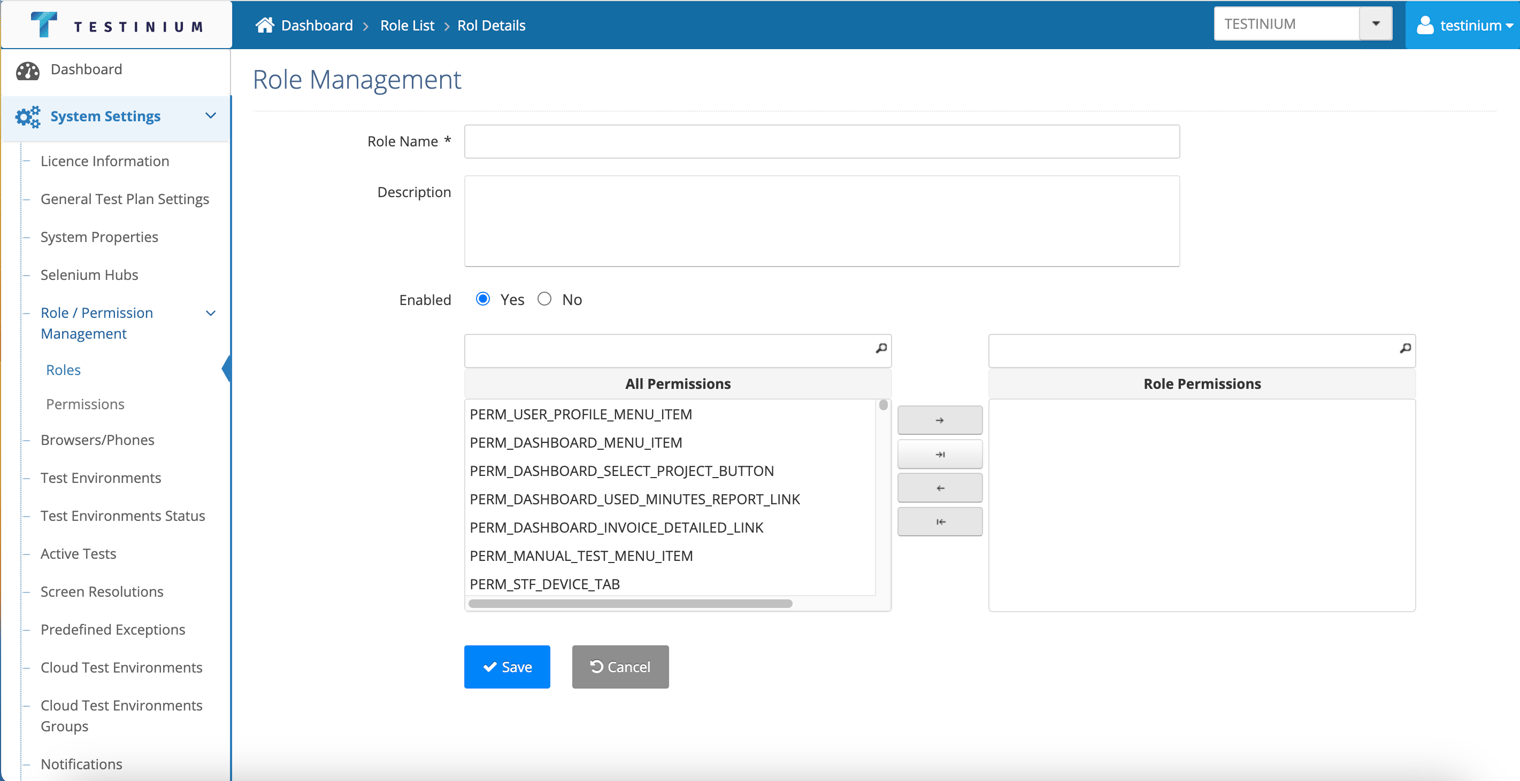
- a. Click the Save button to save the role.
b. Click the Cancel button to cancel the creating operation.