
Version 3.6.0 (Feb 2026)
Release Date: 12.02.2026
New Features
All-in-One Execution Mode for Mobile and Web
The All-in-One execution mode is now available for both Mobile and Web tests. In this mode, all selected scenarios run within a single execution session instead of being split into separate runs.
This enables:
- Faster overall execution by reducing repeated setup steps
- Scenarios to be executed in the defined order within the test automation code
- A continuous execution flow across scenarios
All scenarios are executed sequentially under the same session, providing a more streamlined and predictable run behavior.
Improvements
- A "Create From Template" option has been added when creating a Selenium 4 project. Users can now quickly generate a ready-to-use template project, making it a faster onboarding process for Selenium4 projects.
- The “Scenario Order” component has been renamed to “Selected Scenarios” on the Plan Create / Edit screen to avoid implying that scenarios can be reordered. This change ensures the UI accurately reflects current capabilities and prevents misleading expectations.
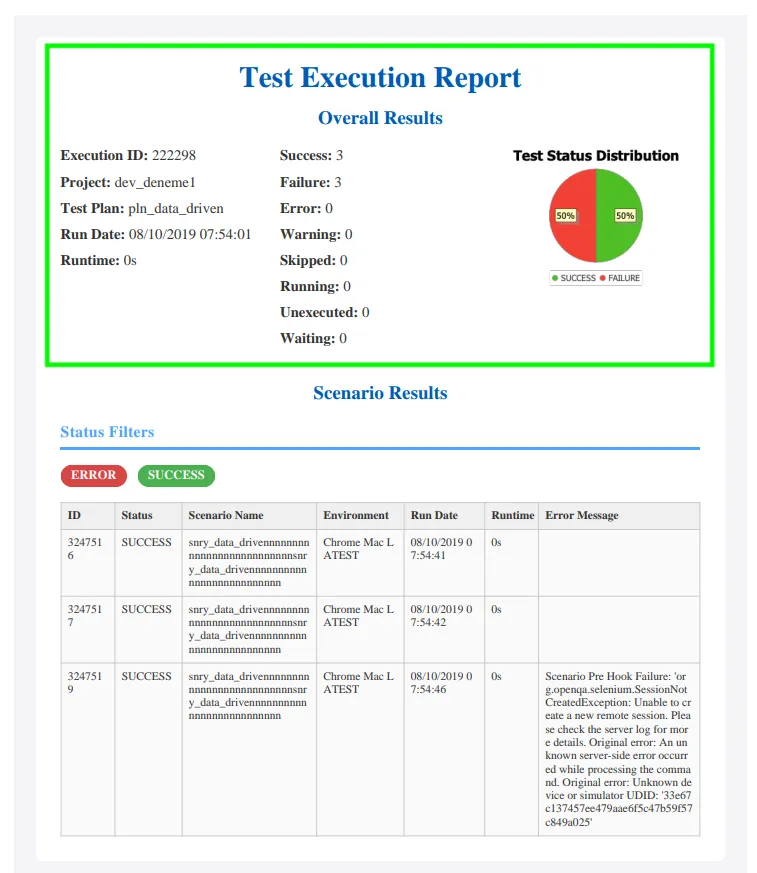
- In the "Notification PDF Export" feature (Plan > Edit > Schedule & Notification), two separate sections have been added to the exported pdf file: “Overall Results” and “Scenario Results.” The top section includes the overall results of the entire execution to provide a clear summary, while the bottom section displays specific filtered results.
- The "Run Type" UI elements have been updated to better communicate their purpose and behavior, helping users understand how executions are distributed across devices and reducing confusion during plan configuration.
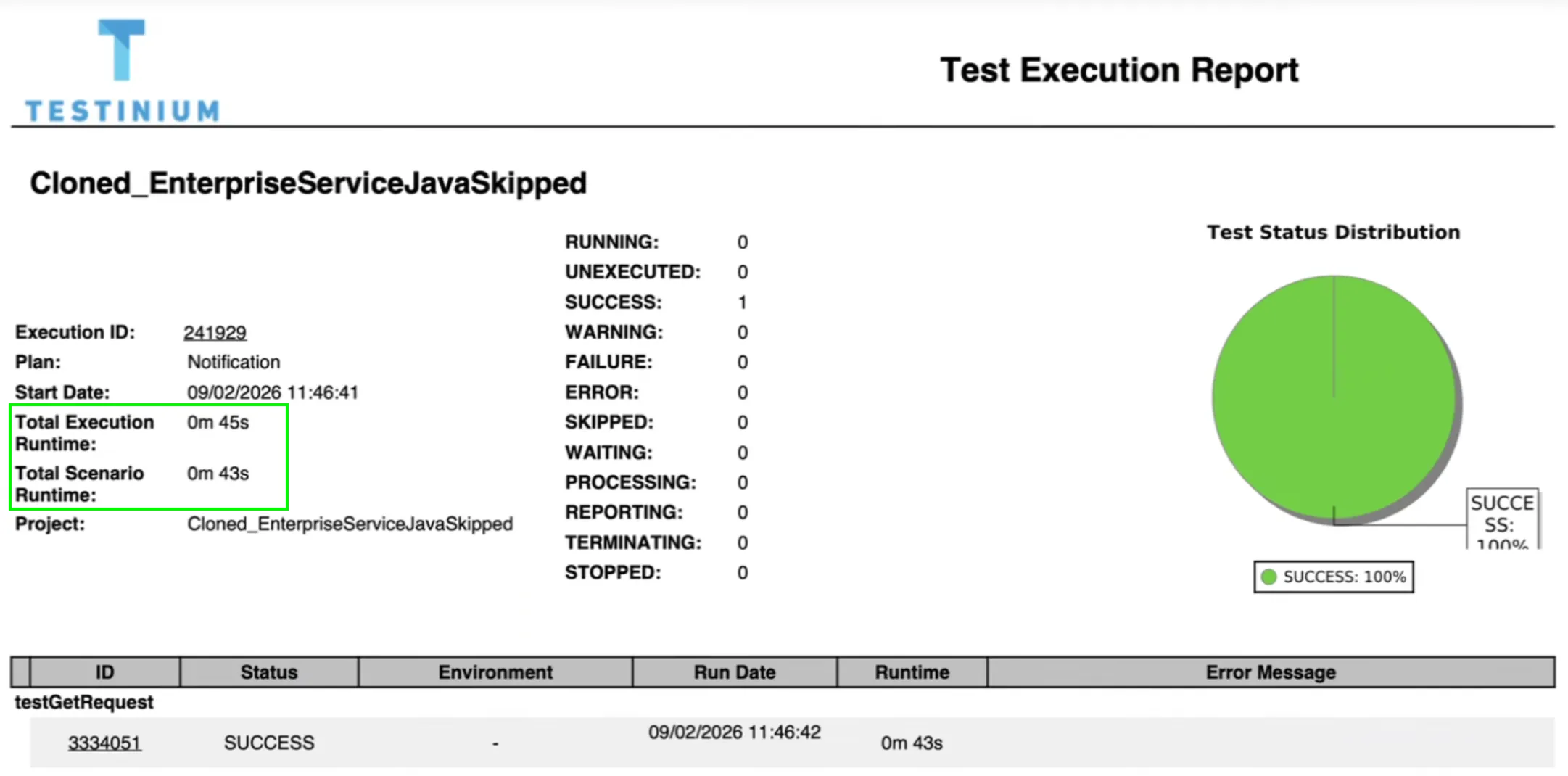
- In the Report / Detail page PDF export, runtime information has been enhanced. The PDF now displays both "Total Execution Runtime" and "Total Scenario Runtime", instead of showing only the lower runtime value.
- For Appium 2 tests, device names appeared in reports using the model identifier (for example, SM-A546E). These identifiers are not easily recognizable for most users. With this update, device information will now display the market name of the device instead of the model code.
- For example:
- Before: SM-A546E
- Now: Samsung Galaxy A54
- This change makes device selection and identification within test plans clearer and more user-friendly.
Bug Fixes
- Fixed an issue where the right column was not visible in the generated PDF report. The report layout now renders correctly with all sections displayed as expected.
- Various visual inconsistencies in Dark Mode have been resolved. UI elements now display correctly with improved readability and consistent styling across screens.
- Fixed an issue where using Download Report in Selenium 4 and Appium 2 projects generated an empty PDF. Reports now download correctly with the expected content.
- Fixed an issue in the Account Information > Users tab where some users were not visible due to a pagination problem. All users are now displayed correctly.
- Company Admin role can now add users up to the defined user limit.
- Company Admin users can enable or disable users. During these actions, the user limit is validated. If the user limit has been reached, disabled users cannot be re-enabled until capacity becomes available.