
Version 3.12.0 (Sep 2026)
Release Date: 28.09.2026
New Features
All-in-One Report Page
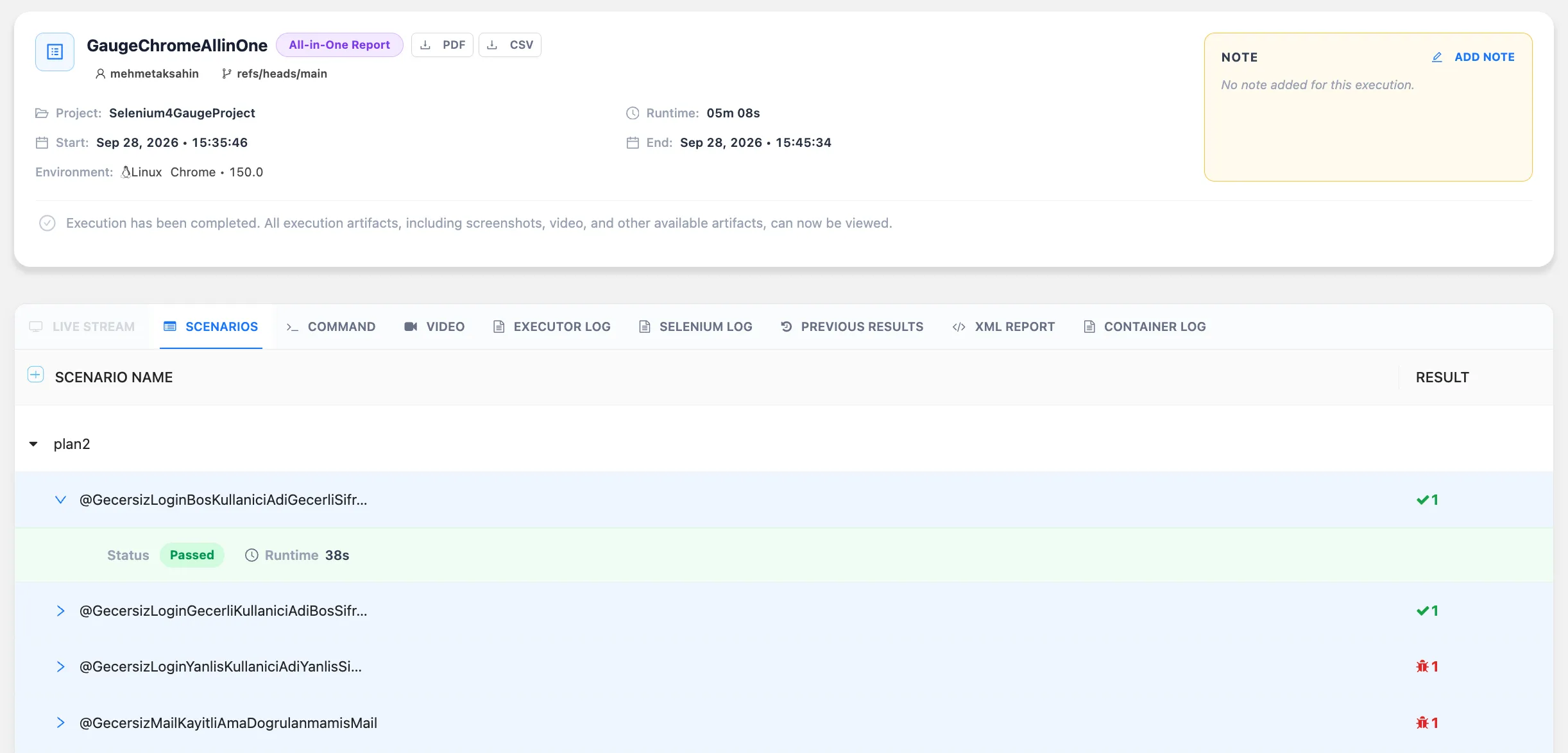
Renewed the report experience for All-in-One execution types with a dedicated report structure and Web Live Streaming support.
Since the entire All-in-One execution runs within a single session, the report output is now structured accordingly:
- One shared video output is created for the whole execution.
- One Executor Log, Container Log, and related test artifacts are created for the whole execution.
- Web Live Streaming is now supported on the All-in-One report page, allowing users to watch web executions live while they are running.
- Mobile Live Streaming support for All-in-One reports will be available soon.
This update provides better real-time visibility into All-in-One executions and makes result analysis easier with a report structure that better reflects the execution model.
Improvements
PDF Report Output Rework
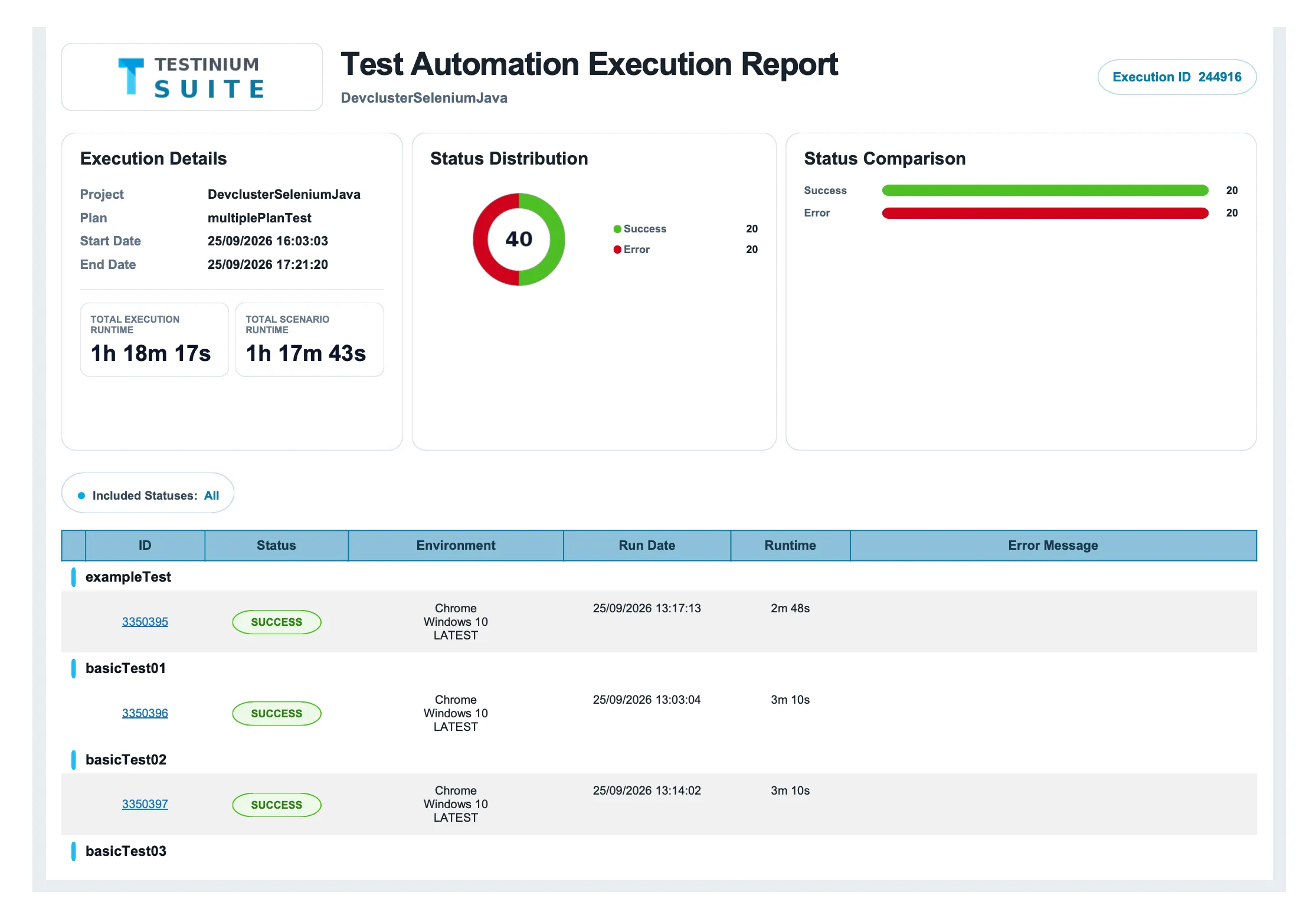
Reworked the PDF report structure to provide a common and consistent output for both Export PDF and Notification PDF flows. The PDF report UI has also been renewed, creating a more standardized, readable, and unified reporting experience across different PDF generation points.
Selenium 4 Video Recording Support
Added video recording support for Selenium 4 Linux executions. Users can now access video outputs for Selenium 4 test runs, making it easier to review execution behavior, investigate failures, and analyze test results after execution is completed.
Build Running Status Handling Improvement
Improved the Build execution flow by adding an exception handling mechanism to prevent Builds from remaining stuck in the “Running” status. When an unexpected error occurs during the Build process, the system now handles the exception properly and moves the Build to the appropriate status.
Slack Message Output Improvement
Fixed an issue where duplicate messages could be sent through the Slack Integration. The “Scenario Results” section has also been removed from the Slack message to provide a cleaner, more concise, and easier-to-read execution summary.
UI Improvements
Improved several UI details to provide clearer user experience:
- Added a yellow status indicator for Queued Scenarios to make queued items easier to identify.
- Updated execution report date fields to consistently display time information together with the date.
Bug Fixes
Waiting Test Cleanup Fix After Plan Deletion
Fixed an issue where tests could remain in the Waiting status when a stopped execution’s related plan was deleted. The system now handles this flow correctly and prevents affected tests from staying in Waiting after plan deletion.
Scenario Group Creation Parse Error Fix
Fixed an issue where users could receive a “parse error” when creating a Scenario Group from the Scenario Create page using the “Create Scenario Group” option. Scenario Groups can now be created successfully through this flow without encountering this error.