
Version 3.10.0 (Jul 2026)
Release Date: 21.07.2026
New Features
Assign Builds to Multiple Plans
You can now assign a successful build to one or more plans directly from the Builds page.
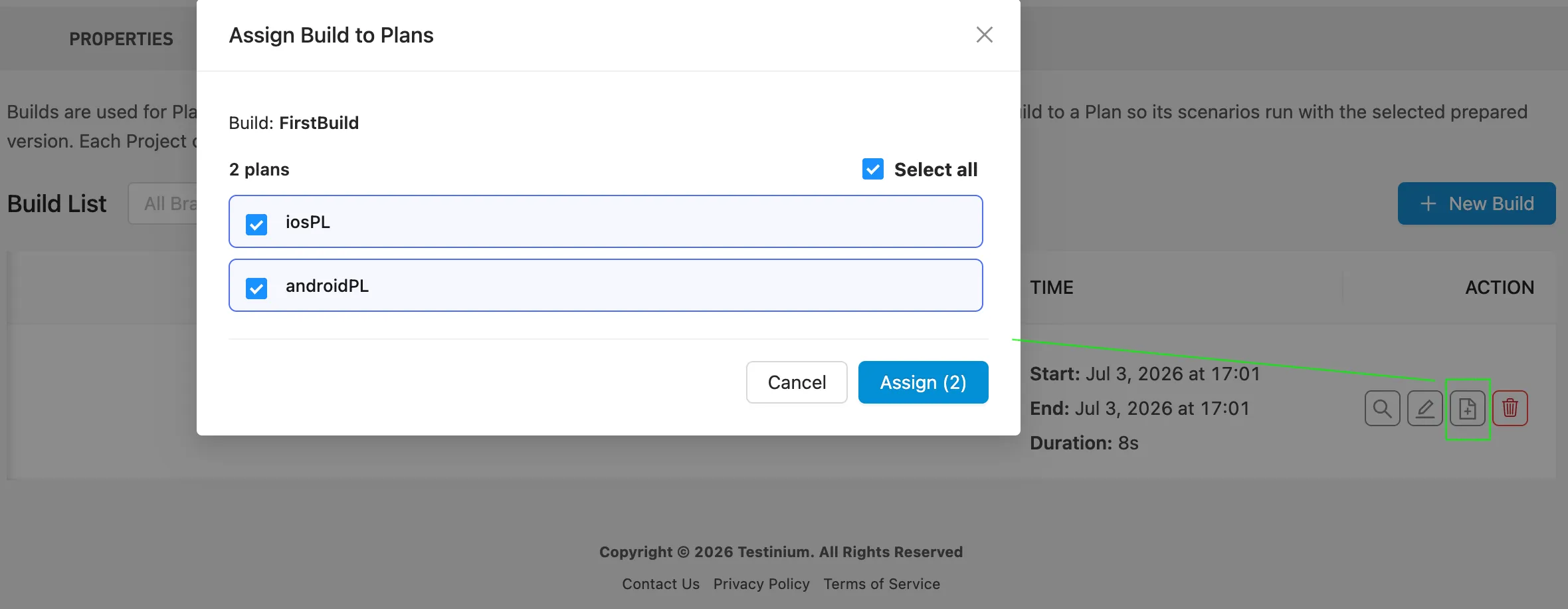
Using the new Assign Build to Plans action, you can select compatible plans individually or assign the build to all available plans at once. This makes it easier to manage build usage across multiple plans without updating each plan separately.
Add Notes to Plan Executions
You can now add an optional note when starting a plan execution. Notes can be used to record run-specific details such as the test purpose, environment, release version, or related ticket.
Each note can contain up to 500 characters and can also be accessed from the corresponding Execution Report for future reference.
Improvements
- UI Improvements Slightly updated UI for better user experience and easier navigation
- Timeout Status Support for "Quick Run" Added Timeout status support to the Quick Run feature. Test results with the Timeout status can now be included and used within the Quick Run flow.
- “Automated Tests” Renamed to “Remote Execution” The Automated Tests section has been renamed to Remote Execution across the platform. This naming update better reflects the section’s purpose and does not change any existing functionality.